
For Odoo 19.0 · €85 · OPL-1
QWeb Live Editor
Edit QWeb on the left — see it render, live. Nothing persists — export straight to your module.
The problem
Editing Odoo reports is a slow loop
The file workflow means edit .xml → upgrade the module →
look, over and over. The database workflow under Settings → Technical is
faster, but the change lives only in the view's stored arch and never
makes it back to your source — easy to lose.
QWeb Live Editor gives you an instant feedback loop and closes the gap back to your source tree.
How it works
Render, then roll back
A QWeb report is compiled and rendered to an HTML string before any PDF step. QWeb Live Editor writes your current buffer onto the view inside a transaction savepoint, renders the HTML, then rolls the savepoint back — so the preview is real, but the row is never actually modified.
with savepoint():
    view.write({'arch_db': editor_buffer})
    flush()                # renderer sees the new arch
    html = render(view, values)
    # savepoint rolls back → nothing persists
Feature tour
Everything you need to ship a report
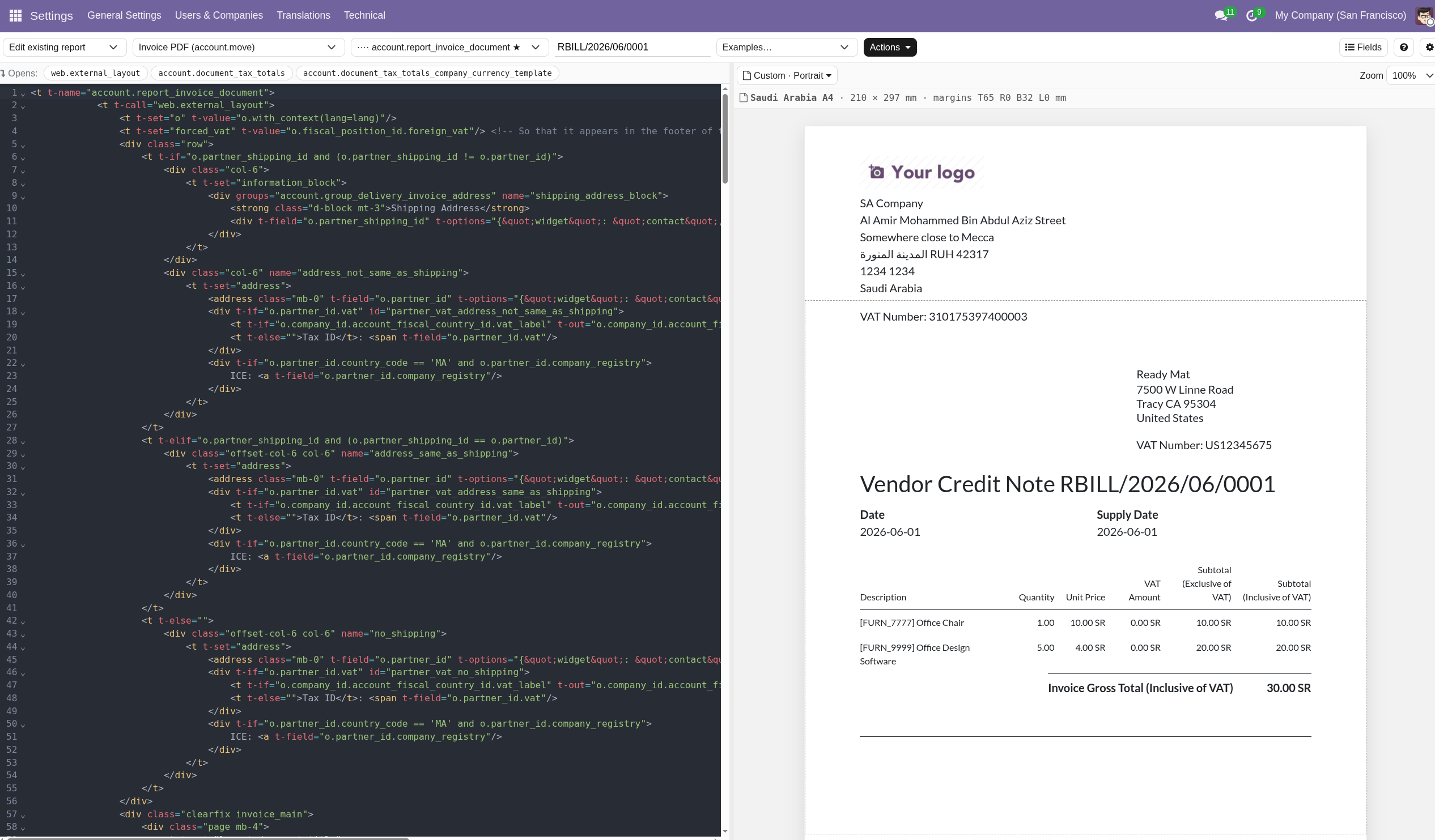
Live split-pane editor
A CodeMirror editor on the left re-renders the report on the right with a short debounce. The preview shows real data from a record you pick.
Fields helper
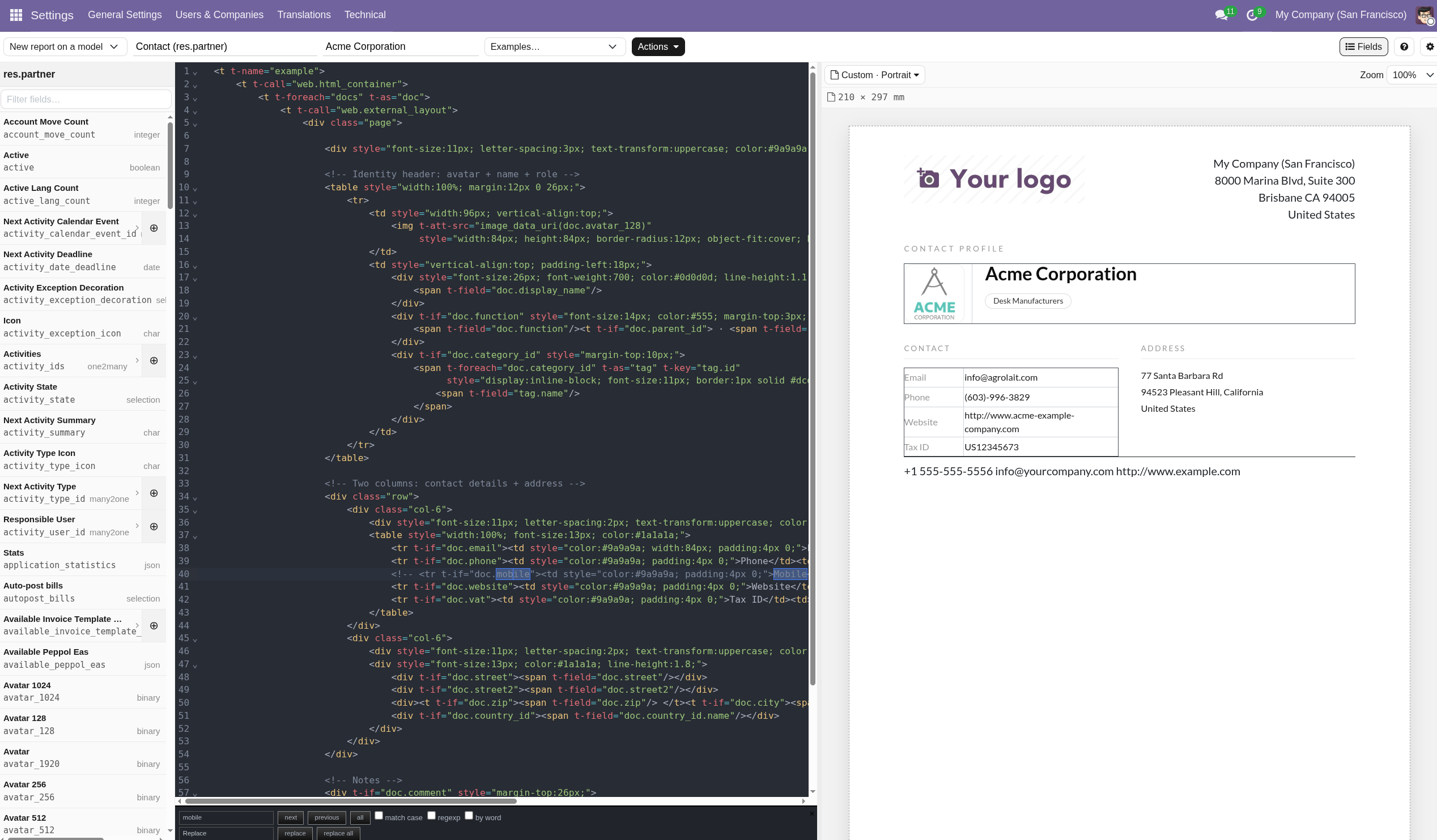
Browse the model's fields, drill one level into related models, and insert a field or a ready-made t-foreach with a click.
Page setup
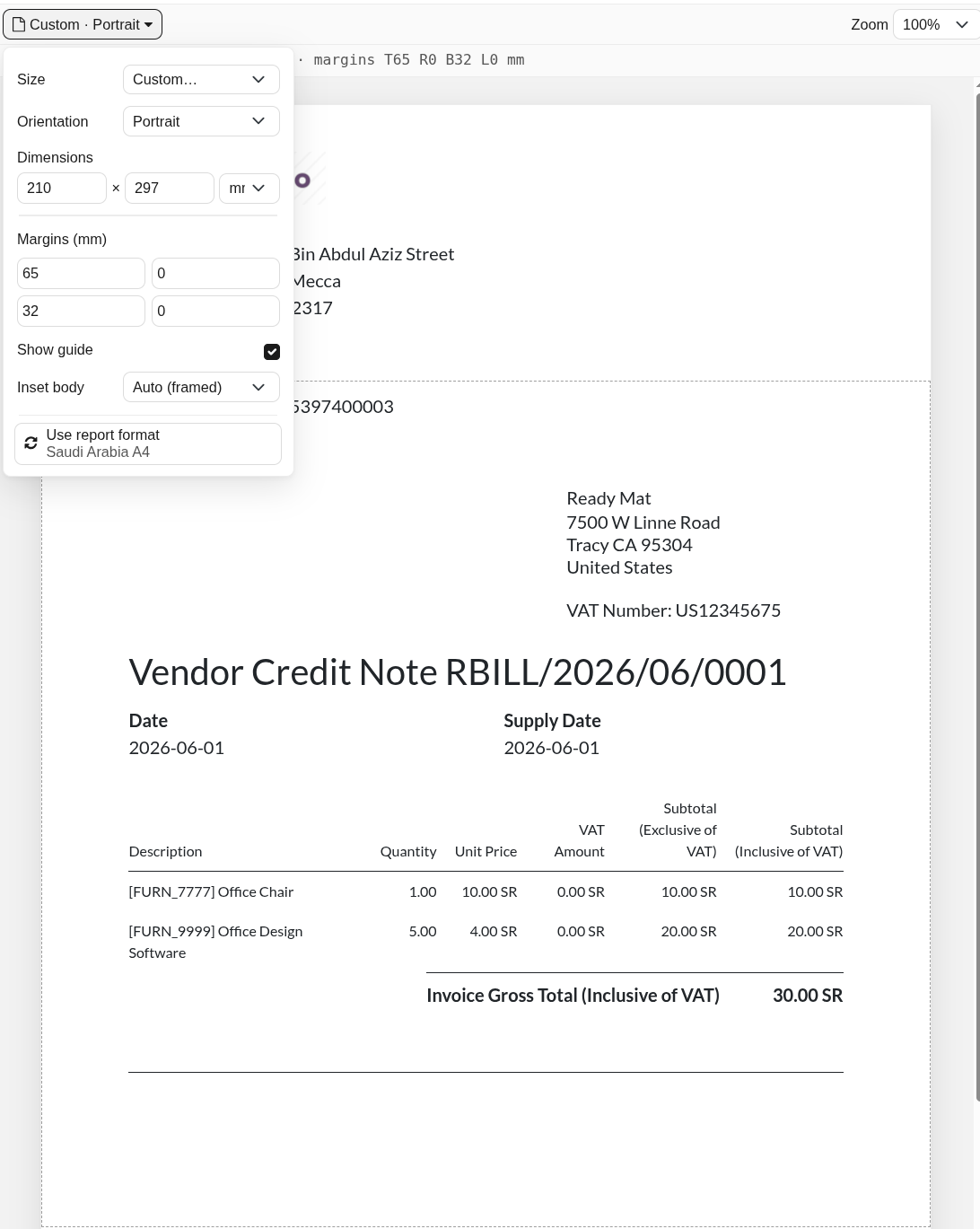
Set size, orientation, custom dimensions (mm/in) and margins. The margins are a single source of truth — the same values drive the preview, the PDF, and the saved paper format.
Save to DB
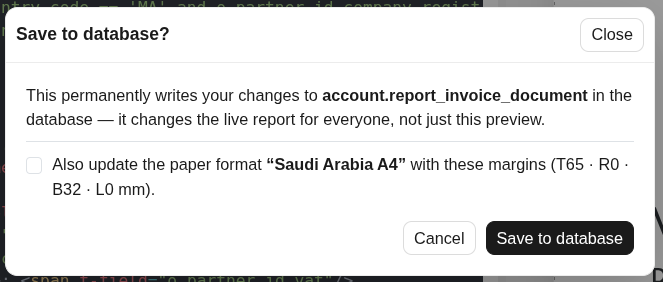
Write edits back to the live report when you are ready, with an optional paper-format update guarded by a shared-format warning, plus undo last save and restore original.
Export to installable XML
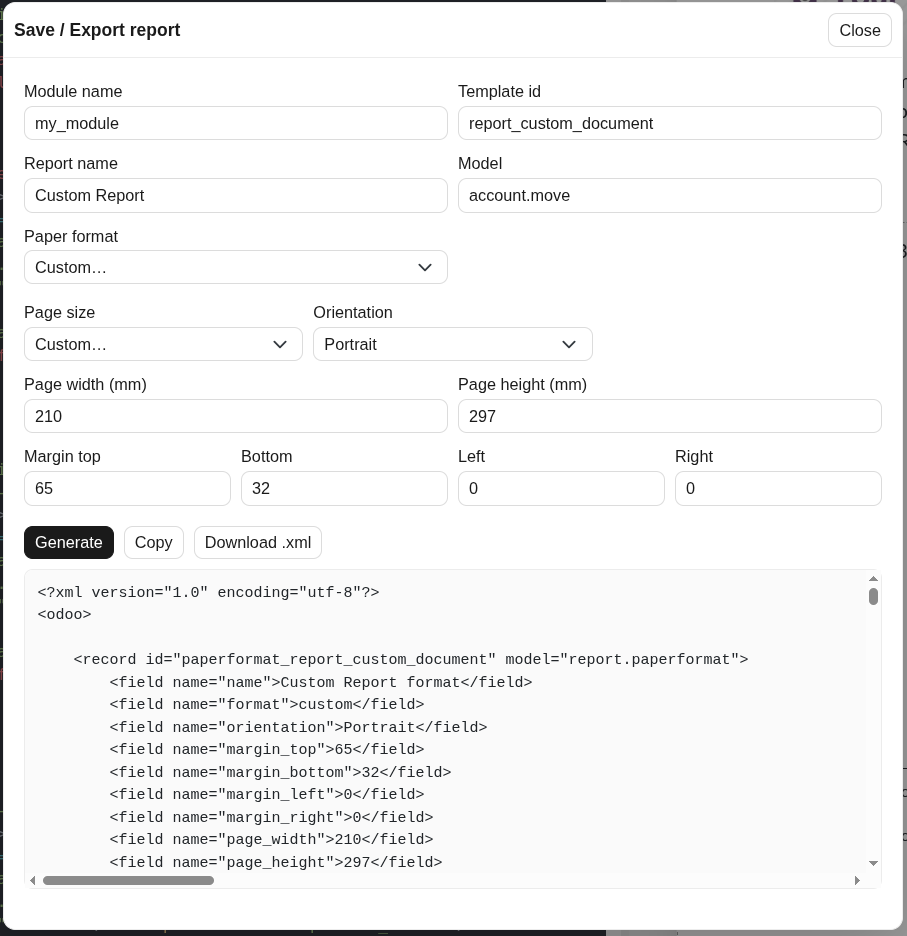
Bundle the template and paper format into a complete, installable .xml file you can commit straight into your module.
Pricing
€85 one-time, on the Odoo Apps Store
- Built for Odoo 19.0 (17 / 18 planned)
- Live preview, page setup, save to DB, export to XML
- Licensed under OPL-1
- Direct email support
FAQ
Questions
Which Odoo version does it support?
It currently supports Odoo 19.0. Support for 17.0 and 18.0 is planned for a future release.
Is it safe to run? Will it change my data?
Live previews render inside a transaction savepoint that is rolled back, so nothing persists until you explicitly choose Save to DB or Export. The tool is also gated behind a dedicated security group — it is developer-only by design.
How is it licensed?
Proprietary, under OPL-1. You buy it once on the Odoo Apps Store.
How do I get support?
Email lorenzlabby@gmail.com with your Odoo version and a short description — I read every message.
Try QWeb Live Editor
Get it on the Odoo Apps Store for €85, or email with any questions.